

Bitbucket
Bitbucket Pipe
Section titled “Bitbucket Pipe”Bitbucket Pipe adds a comment with a summary of a run to a Pull Request:
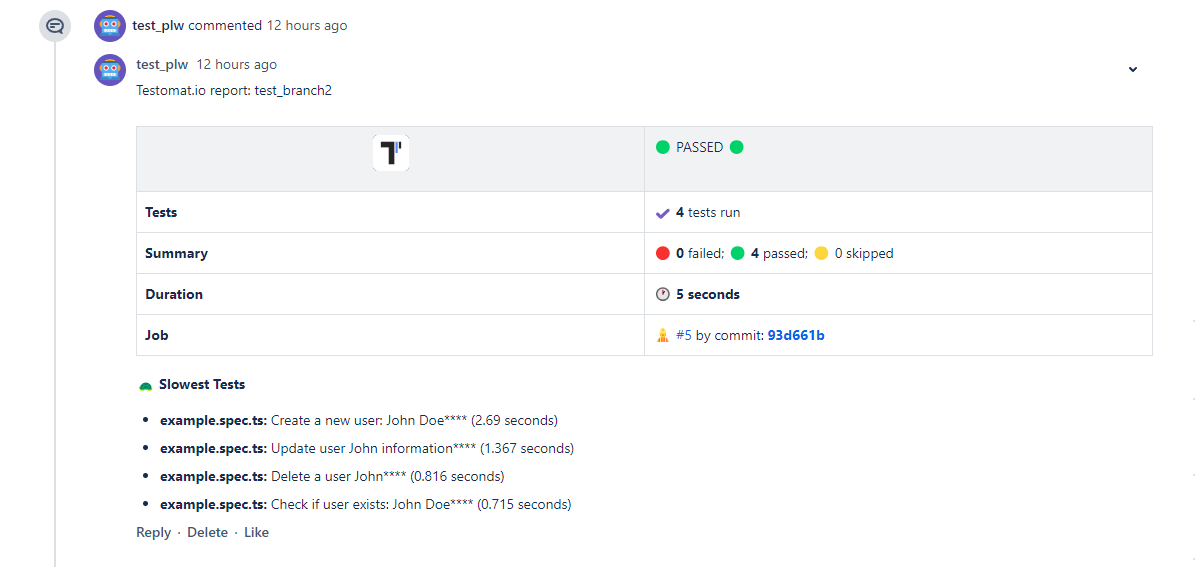
This summary contains:
- Status of a test run
- Number of failed/passed/skipped tests
- Stack traces of failing tests (first 10)
- Screenshots of failed tests (if available)
- List of 5 slowest tests
To enable Bitbucket pipe set BITBUCKET_ACCESS_TOKEN in Bitbucket Repository variables
To use BITBUCKET_ACCESS_TOKEN in Bitbucket Pipelines, create a Repository Access Token and store it as a repository variable:
-
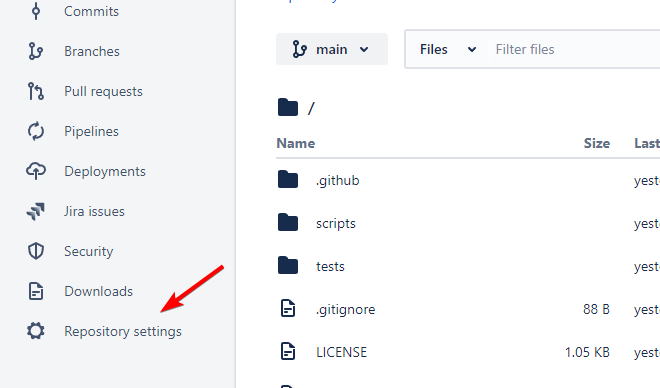
In Bitbucket, go to your repository settings.
-
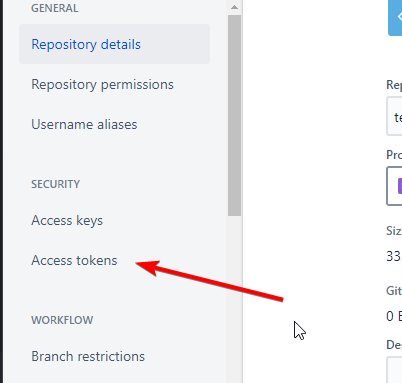
Select “Repository Access Tokens” under the “Access management” section.
-
Create a new Access Token with the minimum permissions required to manage PR comments:
- Pull requests:
Write - Repository:
Read
Pull requests: Writeis required because the reporter reads existing comments, deletes outdated Testomat comments, and posts a new one.Repository: Readis recommended so pipeline repository context remains accessible.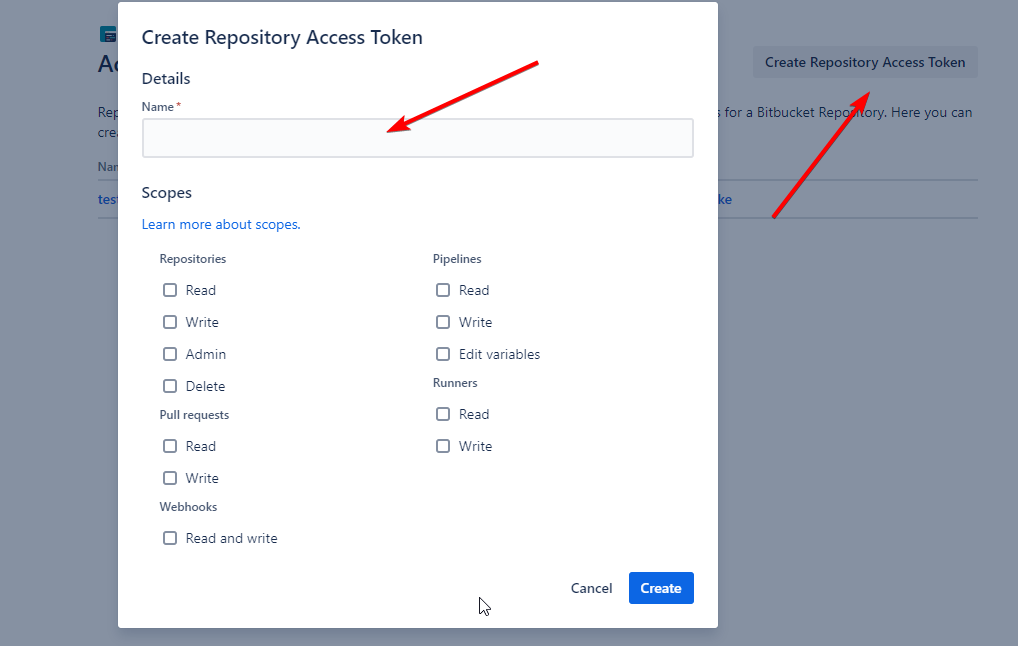
- Pull requests:
If your workspace policies do not allow Repository Access Tokens, use an App Password or OAuth token with equivalent permissions. Repository Access Token is the recommended and simplest option for Bitbucket Pipelines.
Now, add this token as an environment variable in Bitbucket Pipelines:
-
Go to “Pipelines” in your repository settings.
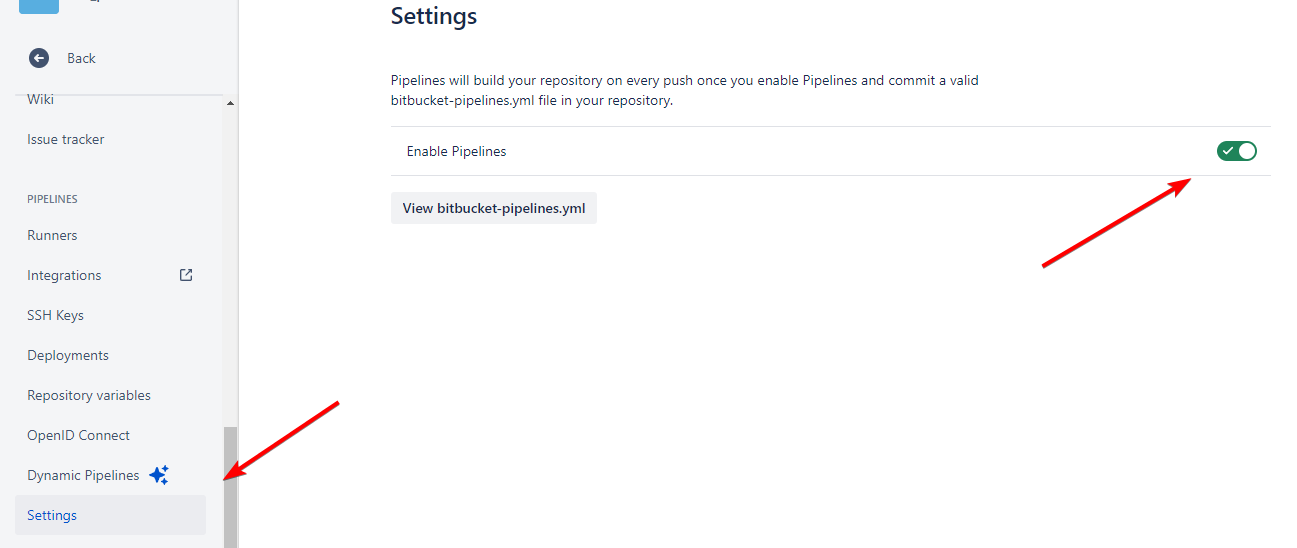
-
Select “Repository variables” under the “Settings” section.
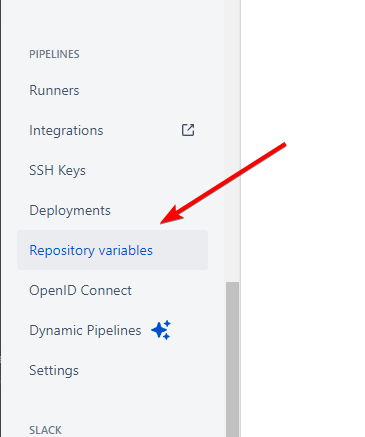
-
Add a new variable with the name
BITBUCKET_ACCESS_TOKENand paste the token.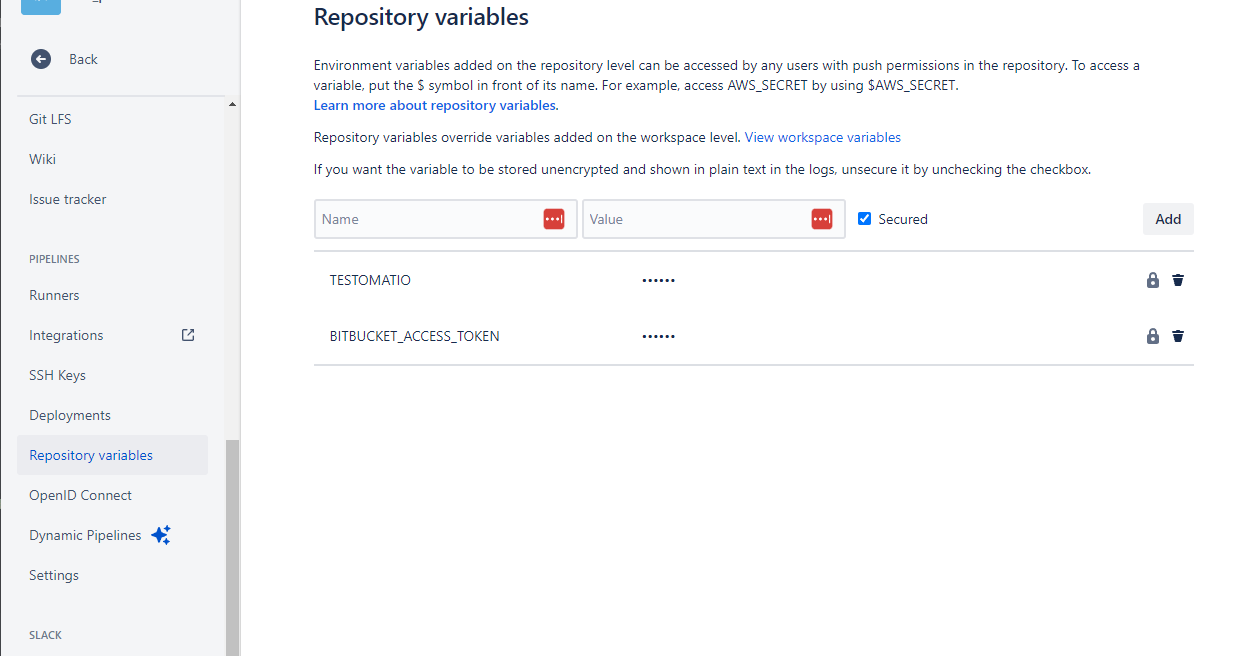
Once you’ve done that, your bitbucket-pipelines.yml configuration file can use this token. Here’s how it should look:
image: atools/chrome-headless:java17-nodelts-latest
pipelines:  pull-requests:    '**':      - step:          name: Run Playwright tests          script:            - npm install            - npx playwright install --with-deps chromium            - BITBUCKET_ACCESS_TOKEN=$BITBUCKET_ACCESS_TOKEN TESTOMATIO=$TESTOMATIO npx playwright test
Requirements and Caveats
Section titled “Requirements and Caveats”- PR comments are created only in
pull-requestspipelines. The reporter needsBITBUCKET_PR_ID, which is not available in regularbranchespipelines. - If you see a request URL like
/pullrequests//comments,BITBUCKET_PR_IDis missing and the pipeline was not started as a PR pipeline. - Repository variables may be unavailable to pipelines from forks or restricted by workspace/repository security settings.
- Branch restrictions can still prevent pipeline execution or variable exposure even if the token itself has the correct permissions.
- If comment creation fails with
Forbidden, verify both token scopes and whether the pipeline actually runs in the target repository context.
Keep Outdated Reports
Section titled “Keep Outdated Reports”If a pipeline is executed multiple times, the previous report comment is deleted. To keep older comments, pass BITBUCKET_KEEP_OUTDATED_REPORTS:
script: - npm install - npx playwright install --with-deps chromium - BITBUCKET_KEEP_OUTDATED_REPORTS=1 BITBUCKET_ACCESS_TOKEN=$BITBUCKET_ACCESS_TOKEN TESTOMATIO=$TESTOMATIO npx playwright test