

Import Tests From Allure TestOps
If you have existing tests in Allure TestOps and wish to migrate to Testomat.io, you can import tests from Allure TestOps using a customizable migration script for more advanced, tailored imports.
Where to Find a Migration Script
Section titled “Where to Find a Migration Script”Use the custom migration script to convert an Allure TestOps CSV file into Testomat.io’s CSV format. This method is recommended if you need customization or want to adjust the structure of your test cases during the migration process.
Click migration script instructions to access the script and get started.
How to Import Tests into Testomat.io
Section titled “How to Import Tests into Testomat.io”Once tests are converted and a new project is created,
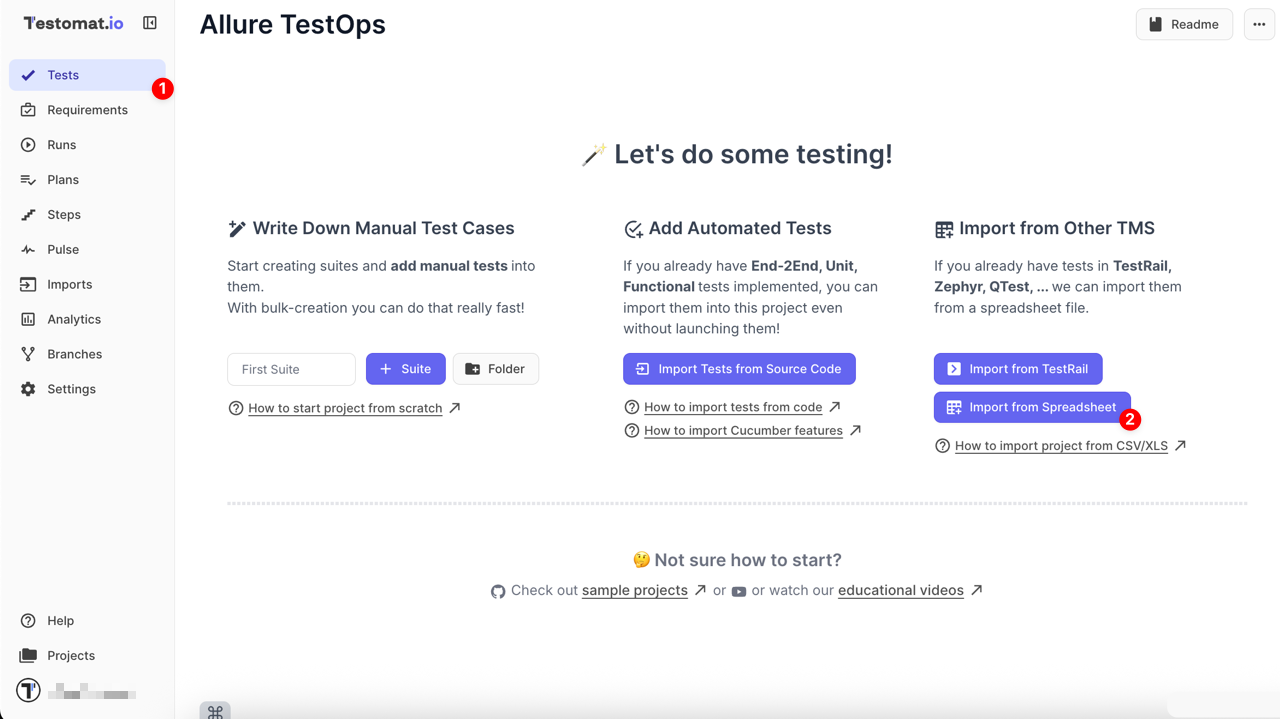
- Navigate to the Tests page
- Click the Import from Spreadsheet button
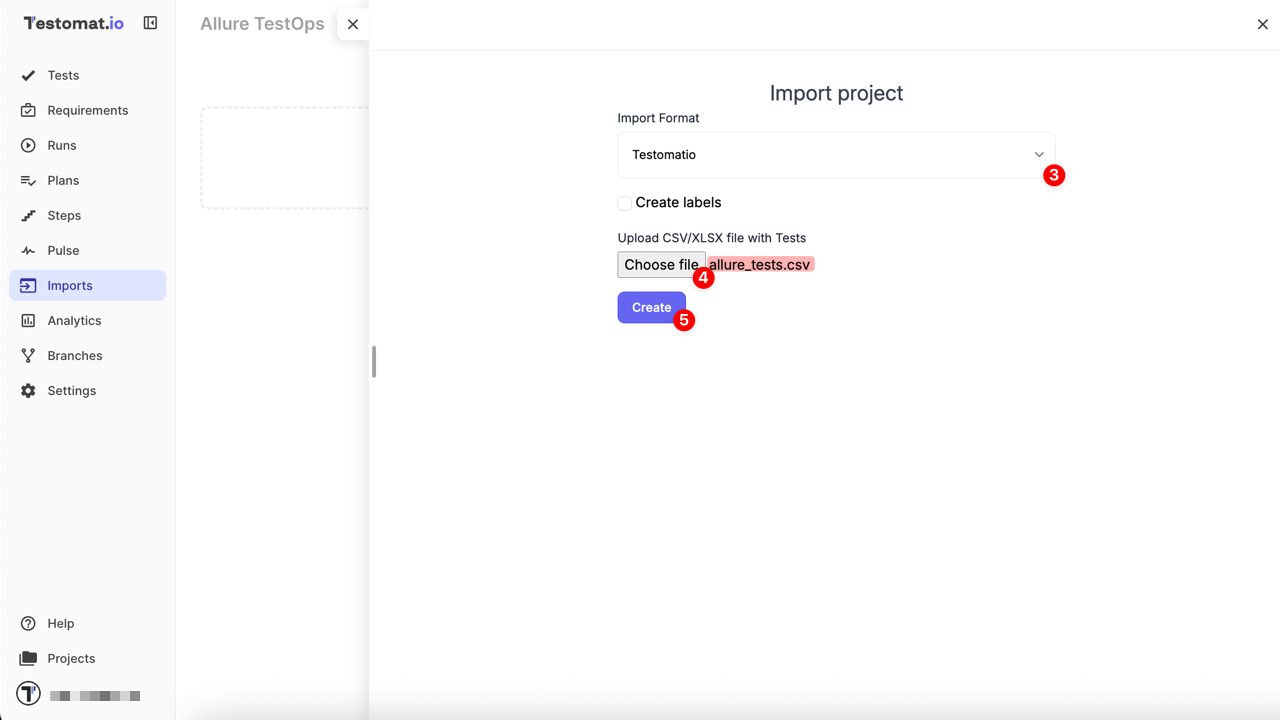
Once redirected to the Imports page
- From the dropdown menu, select the Testomatio
- Select the file generated by the migration script
- Click the Create button to complete the import
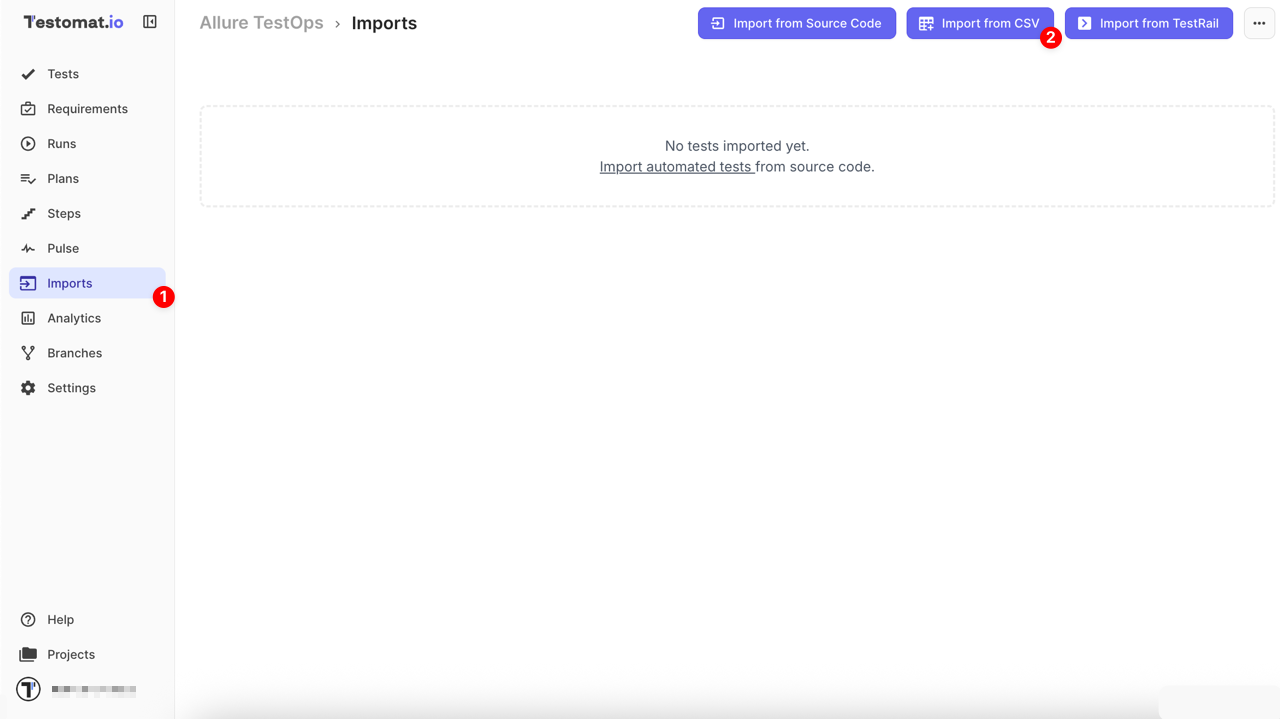
Or alternative way, if you’re working in an existing project,
- Navigate to the Imports page
- Click the Import from CSV button
- From the dropdown menu, select the Testomatio
- Select the file generated by the migration script
- Click the Create button to complete the import