

AI Skills
Teach your coding agent how to test. Each AI Skill covers one testing workflow, such as writing test cases or finding duplicates.
Before You Start
- Company should be on the Enterprise plan.
- Use a coding agent such as Claude Code, Cursor, or Copilot.
- Install Node.js is installed.
Open AI Skills
Section titled “Open AI Skills”- Open the Tests page.
- Click the ⋯ button in the top-right corner, next to Chat with Tests.
- Select AI Skills. You’ll find it in the AI group of the menu, below AI Agents and MCP Server.
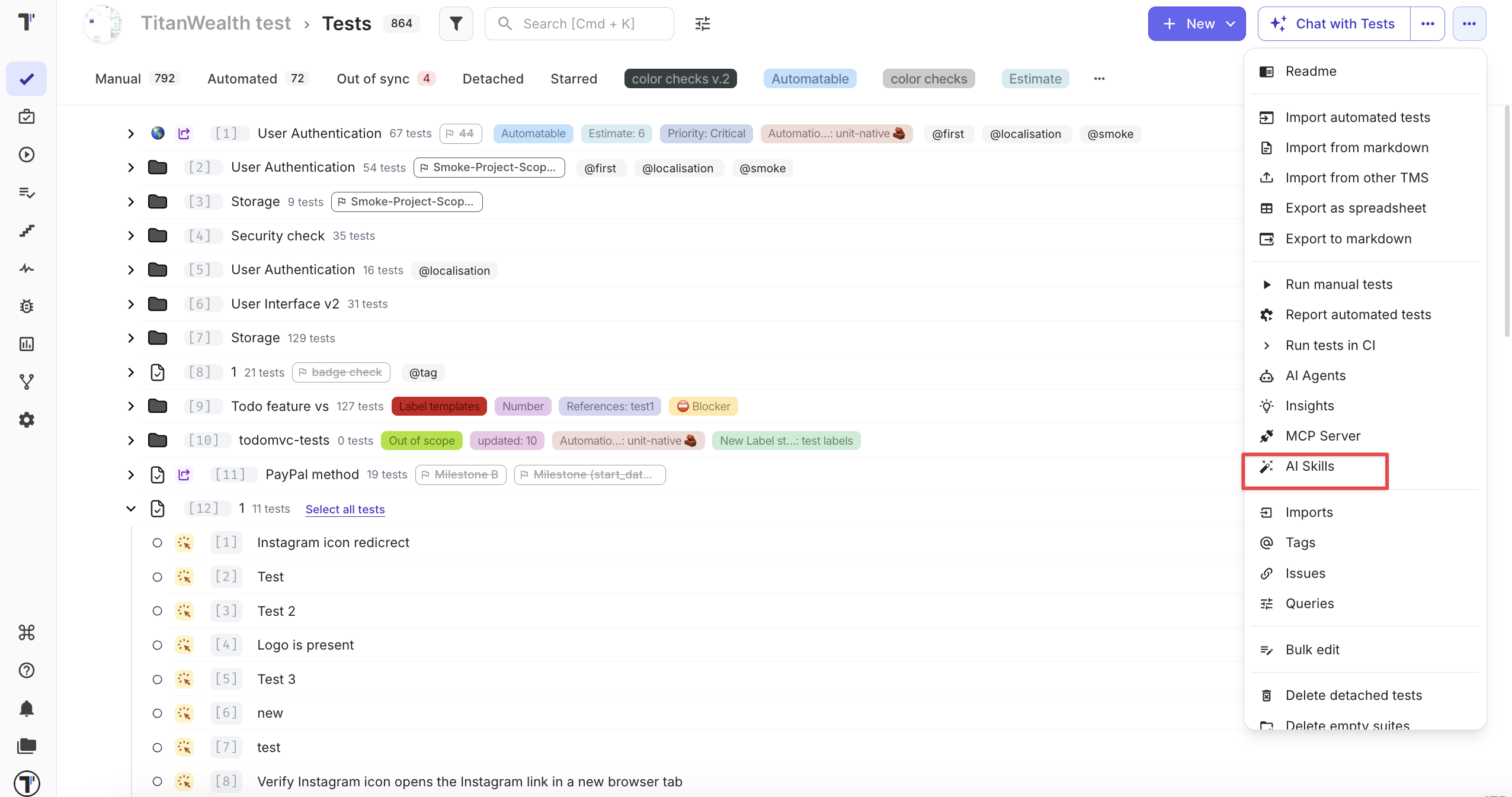
The Testomat.io AI Skills panel opens on the right.
Install the Skills
Section titled “Install the Skills”- In the Install section, click the copy icon next to the install command.
- Run the command in your project:
npx skills add testomatio/skills- Pick the skills you want in the menu, and choose whether to install them for this project or for all projects.
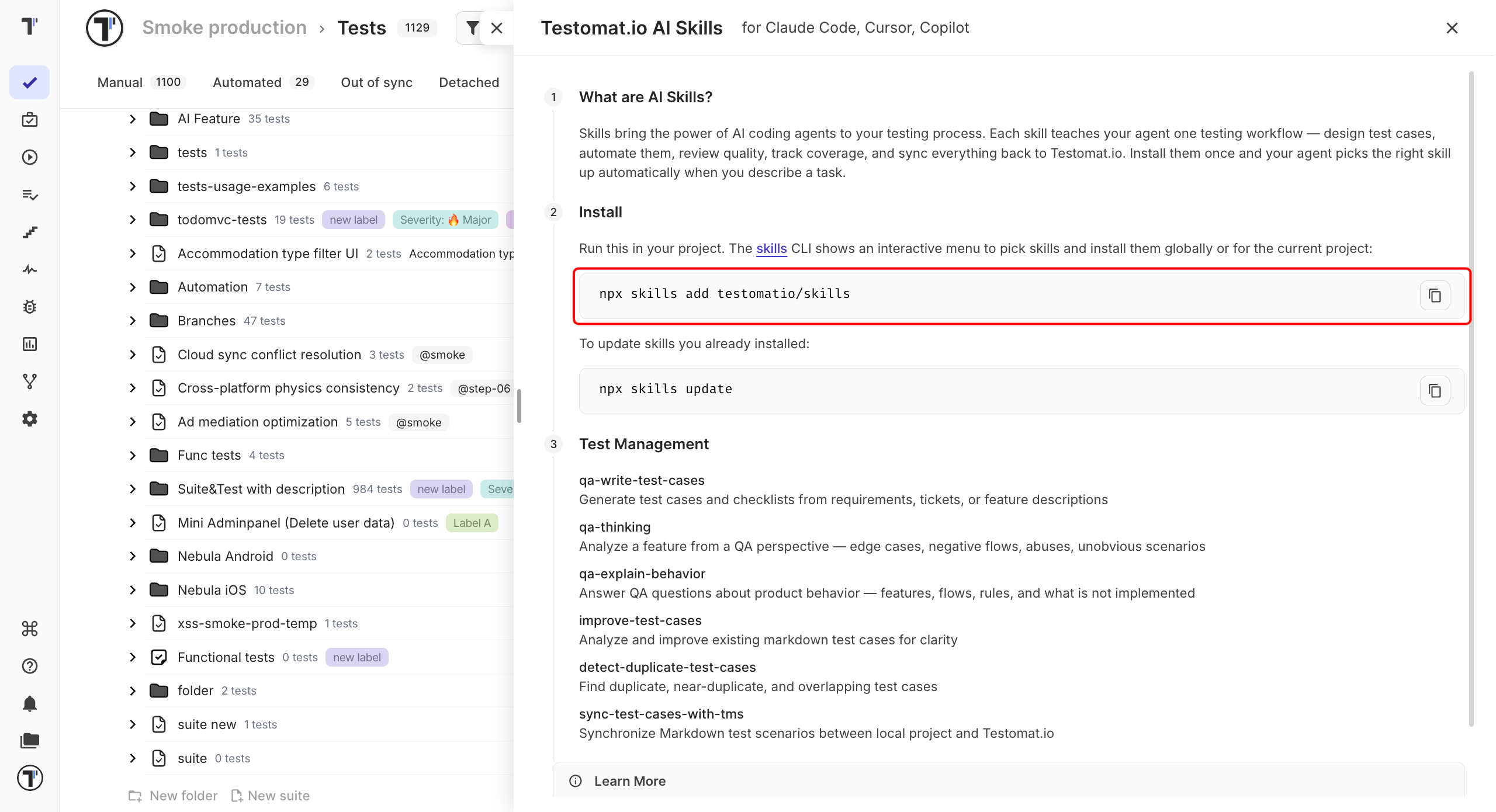
Your agent now has the skills. Describe a task, for example “write test cases for the login page”, and it uses the matching skill.
Update the Skills
Section titled “Update the Skills”Run this command to get the latest version of the skills you installed:
npx skills updateAvailable Skills
Section titled “Available Skills”| Skill | What it does |
|---|---|
qa-write-test-cases | Writes test cases and checklists from requirements, tickets, or feature descriptions. |
qa-thinking | Looks at a feature the way a tester does: edge cases, negative flows, and unobvious scenarios. |
qa-explain-behavior | Answers questions about how the product behaves. |
improve-test-cases | Makes existing Markdown test cases clearer. |
detect-duplicate-test-cases | Finds duplicates, near-duplicates, and overlaps. |
sync-test-cases-with-tms | Syncs Markdown test cases between your project and Testomat.io. |
For the full catalog and setup for each agent, see testomat.ai/qa-skills.