

Restoring Deleted Tests
Deleted tests and suites are kept in the Trash Bin for 90 days. If you delete something by mistake, you can restore it without creating the test again.
Restore a Test or Suite
Section titled “Restore a Test or Suite”- Go to the Tests page.
- Open the Trash Bin from the (
...) menu.
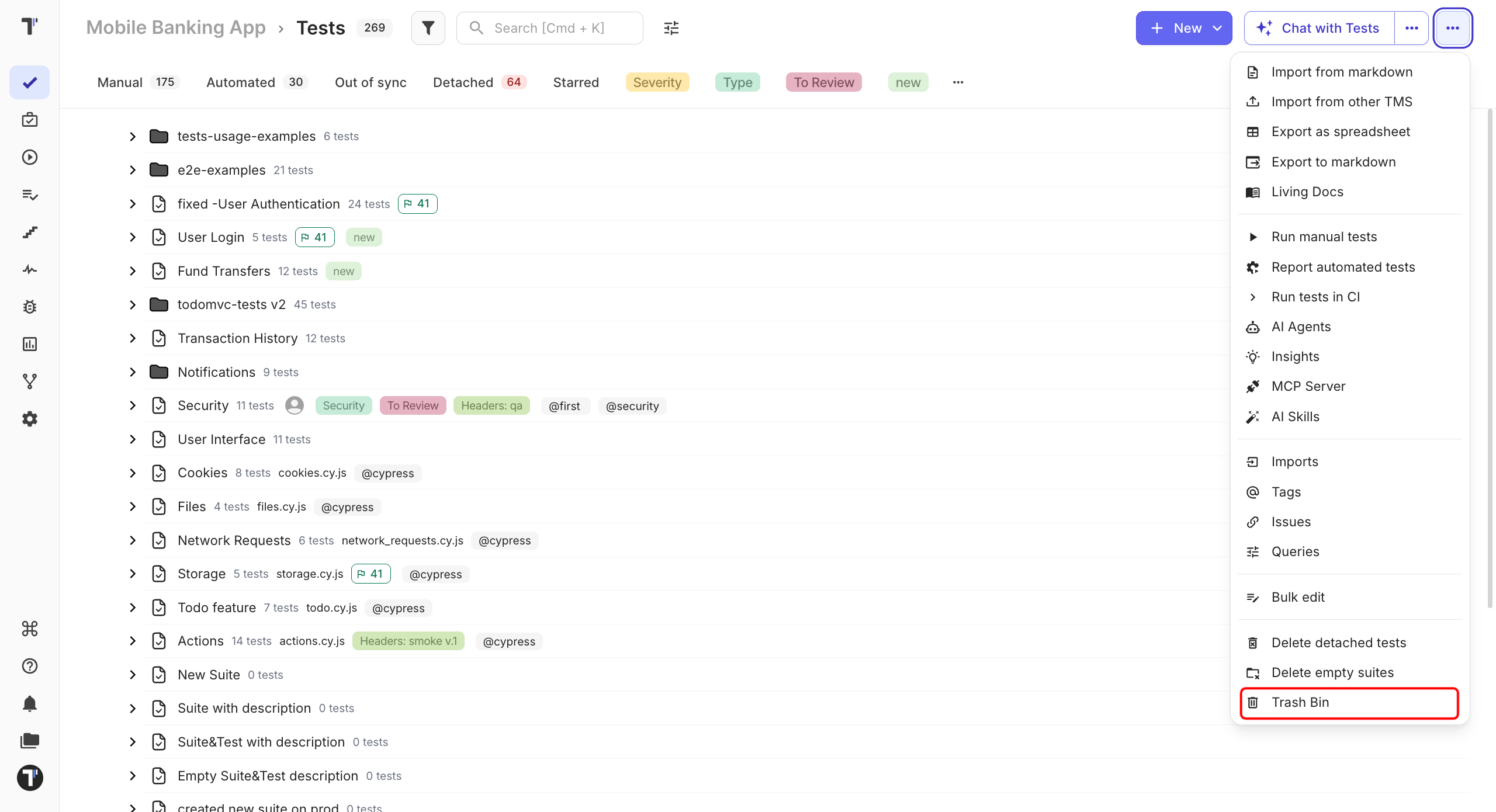
In the trashbin window:
- Find the deleted test or suite.
- Click Restore.
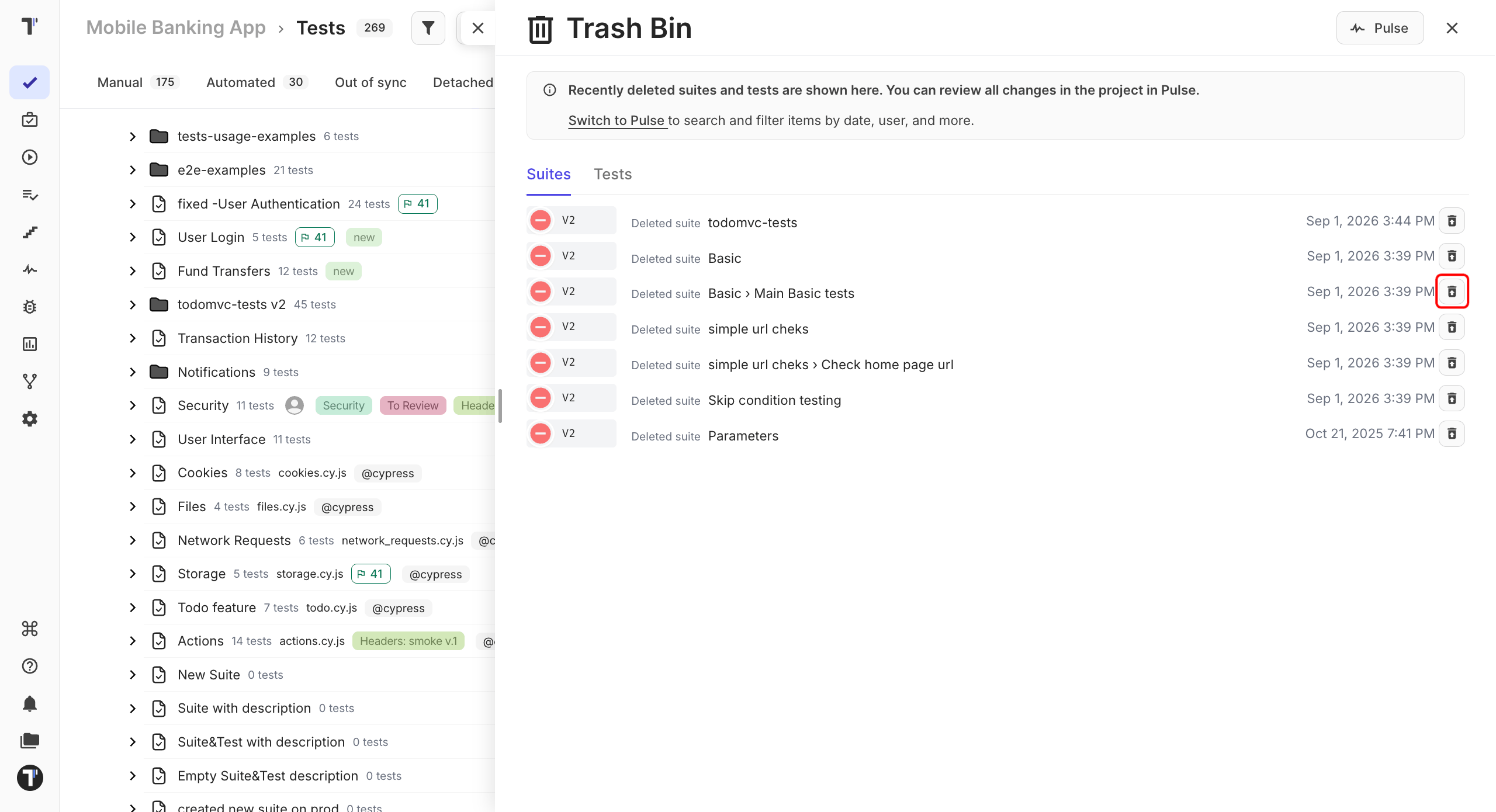
The item returns to the test tree in the same place it was before deletion.
Find Out What Was Deleted
Section titled “Find Out What Was Deleted”If you are not sure what happened to a test or suite, check Pulse first. It shows project activity, including deletions, so you can see what was changed and when. See Pulse.
Deleted Attachments
Section titled “Deleted Attachments”Attachments have a separate retention period and are restored from the Attachments tab, not the Trash Bin.
| Item | Kept for | Restore from |
|---|---|---|
| Tests and suites | 90 days | Trash Bin |
| Attachments | 30 days | Attachments tab |