

Test URL and ID
Every test, suite, and run has its own ID and URL. The Copy window offers them in four formats, so you can pick the one that fits where you are pasting.
| Format | Looks like | Best for |
|---|---|---|
| URL | https://app.testomat.io/projects/my-project/test/62b223e8-rich-editor | Sharing the item outside Testomat.io |
| @TID | @T62b223e8 | Cross-links inside a test or suite description |
| ID | 62b223e8 | Places where the @T prefix is not wanted |
| Markdown | [@T62b223e8](https://app.testomat.io/projects/my-project/test/62b223e8) | Tickets, chats, and commit messages that render Markdown |
Copy a URL or ID
Section titled “Copy a URL or ID”- Open the test, suite, or run.
- Click the copy icon next to the ID at the top of the panel.
- Click the copy icon on the row with the format you need.
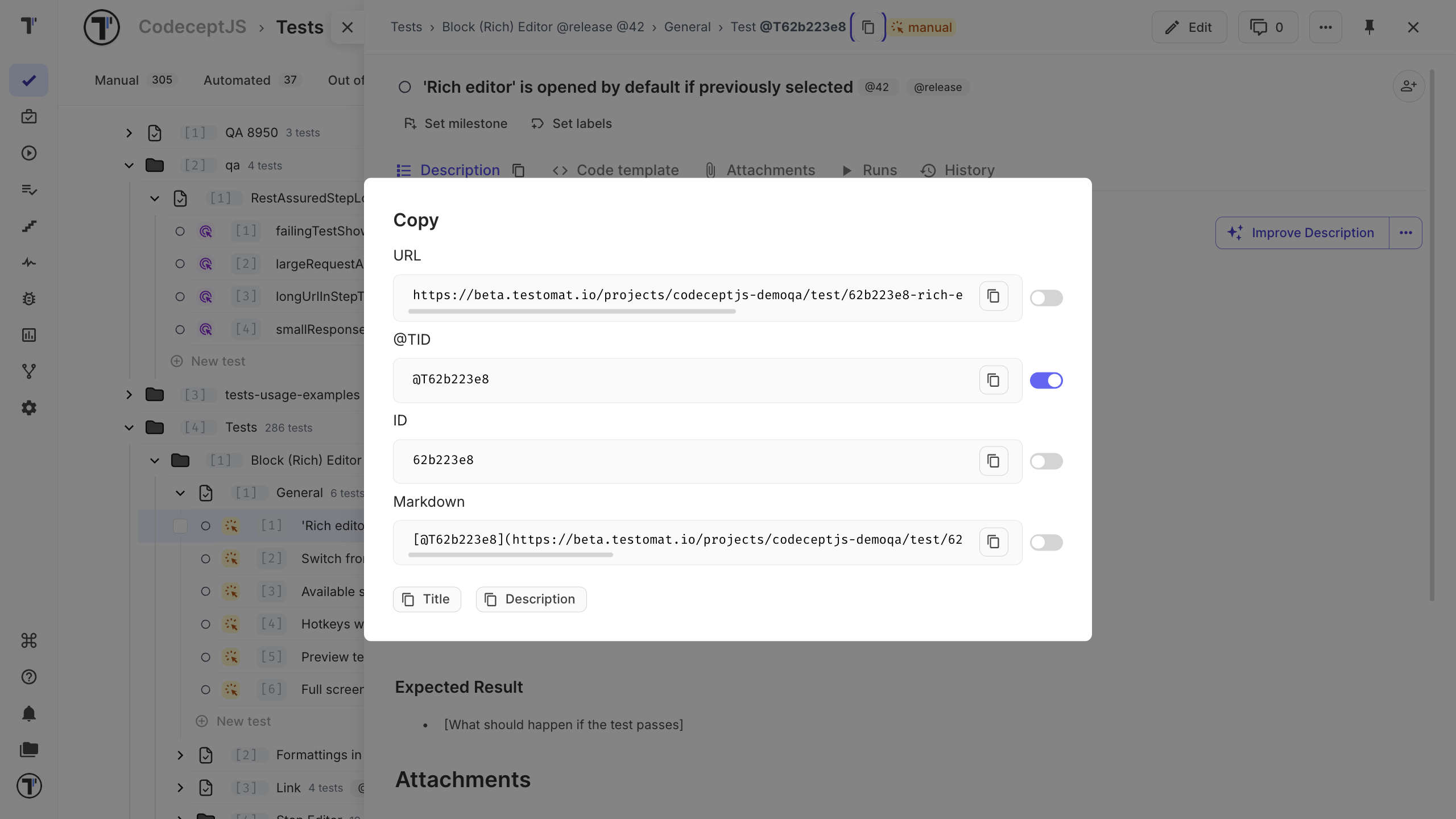
The Title and Description buttons at the bottom copy the item title and its description.
Set a Default Format
Section titled “Set a Default Format”If you usually copy the same format, set it as the default.
- Open the Copy window.
- Turn on the toggle next to the format you use most often.
After that, clicking the ID copies your selected format immediately.
Link Tests and Suites
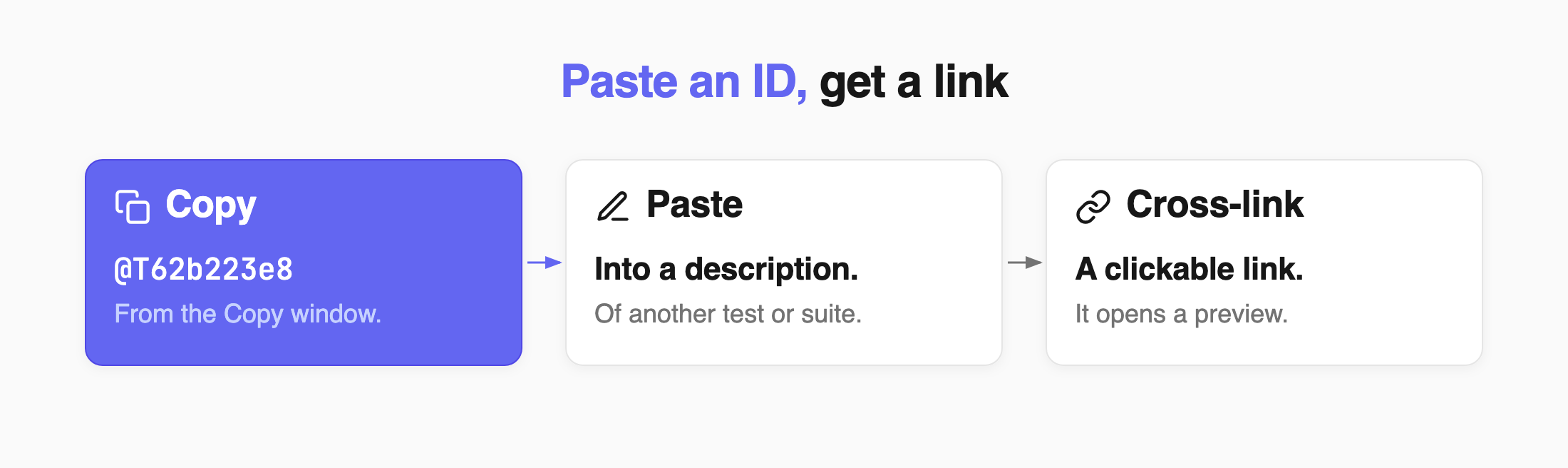
Section titled “Link Tests and Suites”When you paste a copied @TID into a test or suite description, Testomat.io turns it into a clickable cross-link with a preview.
- Classical projects: paste the @TID directly.
- BDD projects: add
#before the ID.
See Classical Project and BDD Project.