

Clone Project Settings
Set up a new project in minutes by copying the configuration of one you already have. Your tests and runs stay where they are; only the settings are copied.
To copy a whole project together with its tests, use Clone Project on the Project board instead. See Project Actions.
Clone the Settings
Section titled “Clone the Settings”- Go to Companies, open your company, and select Company Settings.
- Select Clone Project Settings in the menu on the left.
- Under 1. Source project, select the project to copy settings from.
- Select what to copy. You can pick single items or a whole category.
- Select one or more target projects.
- Click Clone settings, then confirm with Clone.
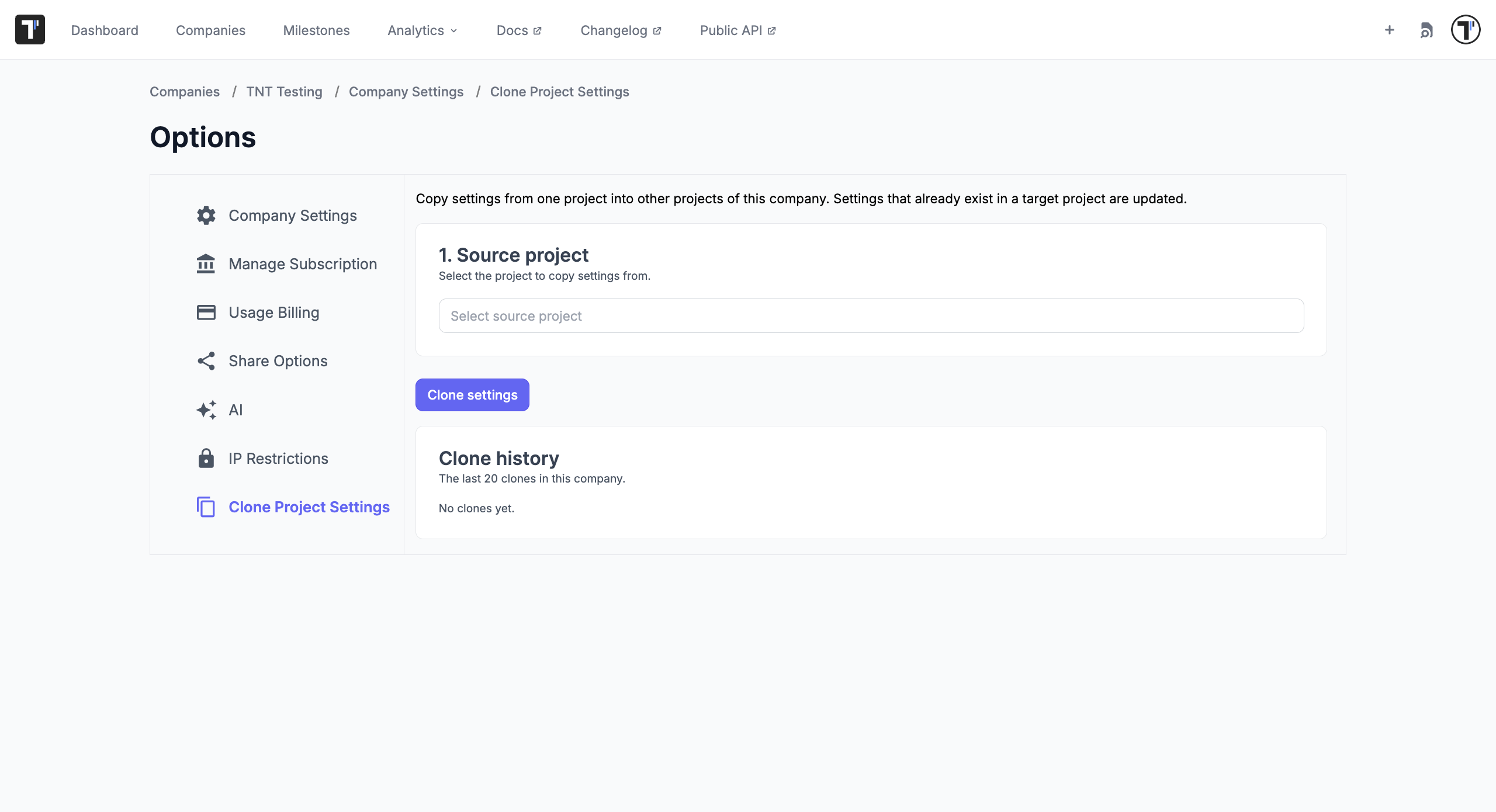
Settings that already exist in a target project are updated, so you can run a clone again whenever the source project changes.
Testomat.io shows the result for every item, and the last 20 clones in your company stay in Clone history.
What You Can Clone
Section titled “What You Can Clone”| Category | What it includes |
|---|---|
| Jira integration | The Jira connection of the project. |
| Issue Management | Issue management profiles. |
| Artifacts | Artifact storage settings. |
| Labels & Fields | Labels and custom fields. |
| Templates | Test and suite templates. |
| Environments | Run environments. |
| Custom Statuses | Custom test statuses. |