

Keyboard Shortcuts
Keyboard shortcuts are combinations of keys that perform specific tasks more quickly than using a mouse, enhancing efficiency and productivity by allowing users to execute commands without navigating through menus.
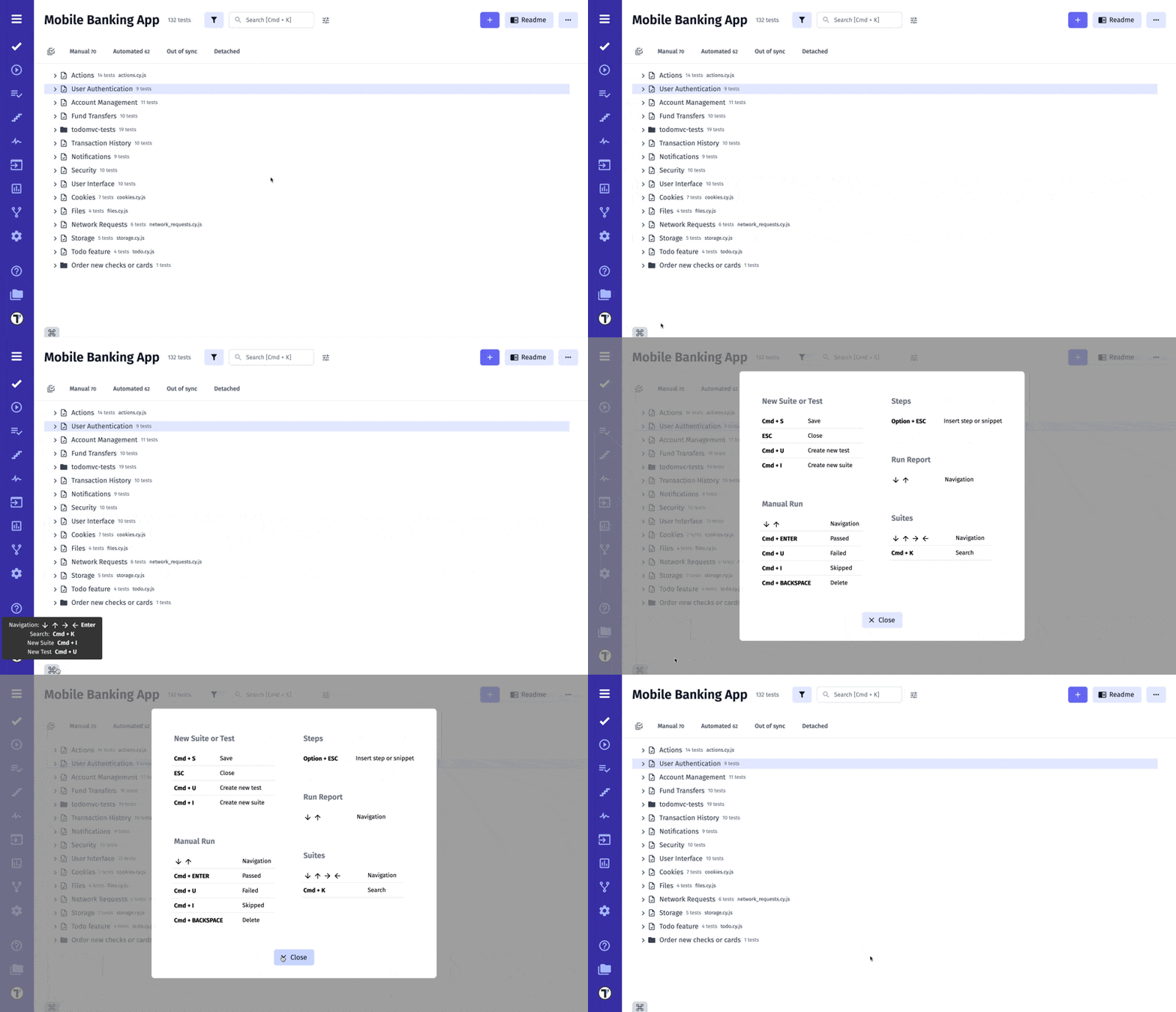
Hint For Shortcuts
Section titled “Hint For Shortcuts”You can use the hint for shortcuts on the Tests page.
Shortcuts For Creating And Editing Tests
Section titled “Shortcuts For Creating And Editing Tests”You can use shortcut commands to create/edit Test Cases or Suites.
| Function | Windows | macOS |
|---|---|---|
| Opens the window to create a new Suite | Ctrl + I |
Cmd + I |
| Save & Create New Suite in create mode | Shift + Ctrl + S |
Shift + Cmd + S |
| Save & View Suite in edit mode | Shift + Ctrl + S |
Shift + Cmd + S |
| Opens the window to create a new Test Case | Ctrl + U |
Cmd + U |
| Save & Create New Test Case in create mode | Shift + Ctrl + S |
Shift + Cmd + S |
| Save & View Test Case in edit mode | Shift + Ctrl + S |
Shift + Cmd + S |
Markdown Shortcuts
Section titled “Markdown Shortcuts”Use Markdown shortcuts to edit test case description quickly and easily.
| Function | Windows | macOS |
|---|---|---|
| Bold | Ctrl + B |
Cmd + B |
| Italic | Ctrl + I |
Cmd + I |
| Heading 2 | Ctrl + 1 |
Alt + 2 |
| Heading 3 | Ctrl + 2 |
Alt + 3 |
| Heading 4 | Ctrl + 3 |
Alt + 4 |
| Quote Block | Ctrl + Shift + K |
Cmd + Shift + K |
| Link | Ctrl + U |
Cmd + U |
| Ordered List | Ctrl + Shift + 7 |
Alt + , |
| Unordered List | Ctrl + Shift + 8 |
Alt + . |