

Test Steps and Expected Results
In a Classical project, Testomat.io reads test steps from the ## Steps section of the description. Add ## Steps and write your steps below. You can format the steps and expected results in several ways, depending on how you want the test to read.
Choose a Format
Section titled “Choose a Format”| Format | Use it when | Saved to the steps database |
|---|---|---|
| Plain text | The test is short and the result matters only here | No |
| Separate steps | You want to reuse the result in other tests | Yes |
| Nested list | One step has several things to check | Yes |
| Separate section | You want to review steps and checks separately | Yes |
| Table | You have many short steps and want a compact test | Yes |
| Subheadings | A step has several actions or detailed checks | Yes |
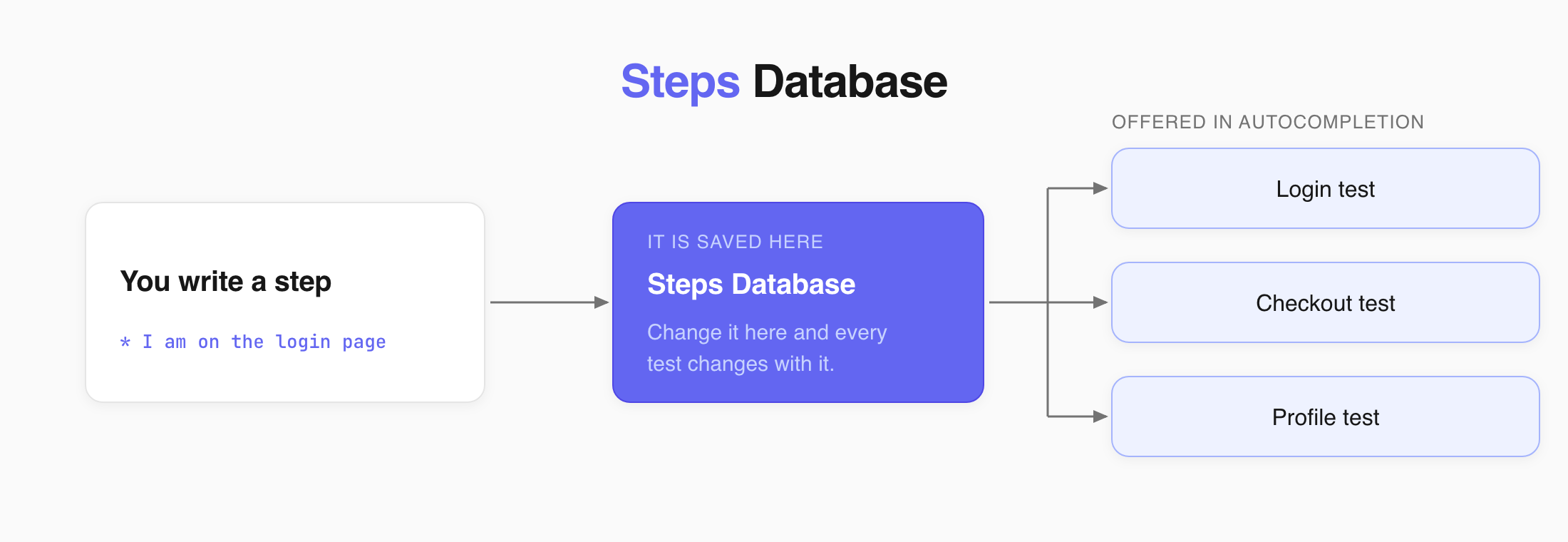
Steps saved to the database are offered in autocompletion the next time you write a test.
Expected Results as Plain Text
Section titled “Expected Results as Plain Text”Put the expected result on the next line after the step.
## Steps* Go to the payment page Expected result: Payment page loads* Enter credit card details and submit Expected result: Payment is processed and confirmation page loadsExpected results written this way stay in the test and are not added to the steps database.
Expected Results as Separate Steps
Section titled “Expected Results as Separate Steps”Make each expected result a separate list item.
## Steps* Go to the payment page* Verify that Payment page loads* Enter credit card details and submit* Verify that Payment is processed and the confirmation page loadsStarting expected results with Verify that also makes them easy to scan.
Expected Results as a Nested List
Section titled “Expected Results as a Nested List”Put the expected results under the step they belong to.
## Steps* Go to the payment page 1. Verify that Payment page loads* Enter credit card details and submit 1. Verify that Credit card number is accepted 2. Verify that Expiration date is accepted 3. Verify that CVV code is accepted* Submit payment 1. Verify that Payment is processed 2. Verify that Confirmation page loads## Steps1. Go to the payment page - Verify that Payment page loads - Verify that payment page matches the design2. Enter credit card details and submit - Verify that Credit card number is accepted - Verify that Expiration date is accepted - Verify that CVV code is accepted:::
Expected Results in a Separate Section
Section titled “Expected Results in a Separate Section”List all steps first, then add their expected results under ## Expected Results. Keep both lists in the same order so each result matches its step.
## Steps1. Go to the payment page2. Enter credit card details and submit
## Expected Results1. Payment page loads2. Payment is processed and confirmation page loads
Steps in a Table
Section titled “Steps in a Table”Put each step and its expected result in the same row.
## Steps
| Step | Expected results || --- | --- || Go to the payment page | Payment page loads || Enter credit card details | Credit card details are accepted || Submit payment | Payment is processed and confirmation page loads |
For long expected results, a list is easier to read than a table.
Expected Results as Subheadings
Section titled “Expected Results as Subheadings”Use the step as a subheading and put its expected results below it.
## Steps
### Go to the payment page* Verify that Payment page loads
### Enter credit card details* Enter credit card number  1. Verify that Credit card number is accepted* Enter expiration date  1. Verify that Expiration date is accepted* Enter CVV code  1. Verify that CVV code is accepted
### Submit payment* Verify that Payment is processed* Verify that Confirmation page loads
Save the test and open its preview. Your steps appear under Steps, and any reusable results show up in autocompletion the next time you type a step.