

MCP - Connect ChatGPT
Connect ChatGPT to your Testomat.io project. ChatGPT reads your tests, runs, and failures, and can create and update test cases for you. You sign in with your Testomat.io account, so ChatGPT gets the same access you have. No tokens to create, no config files to edit.
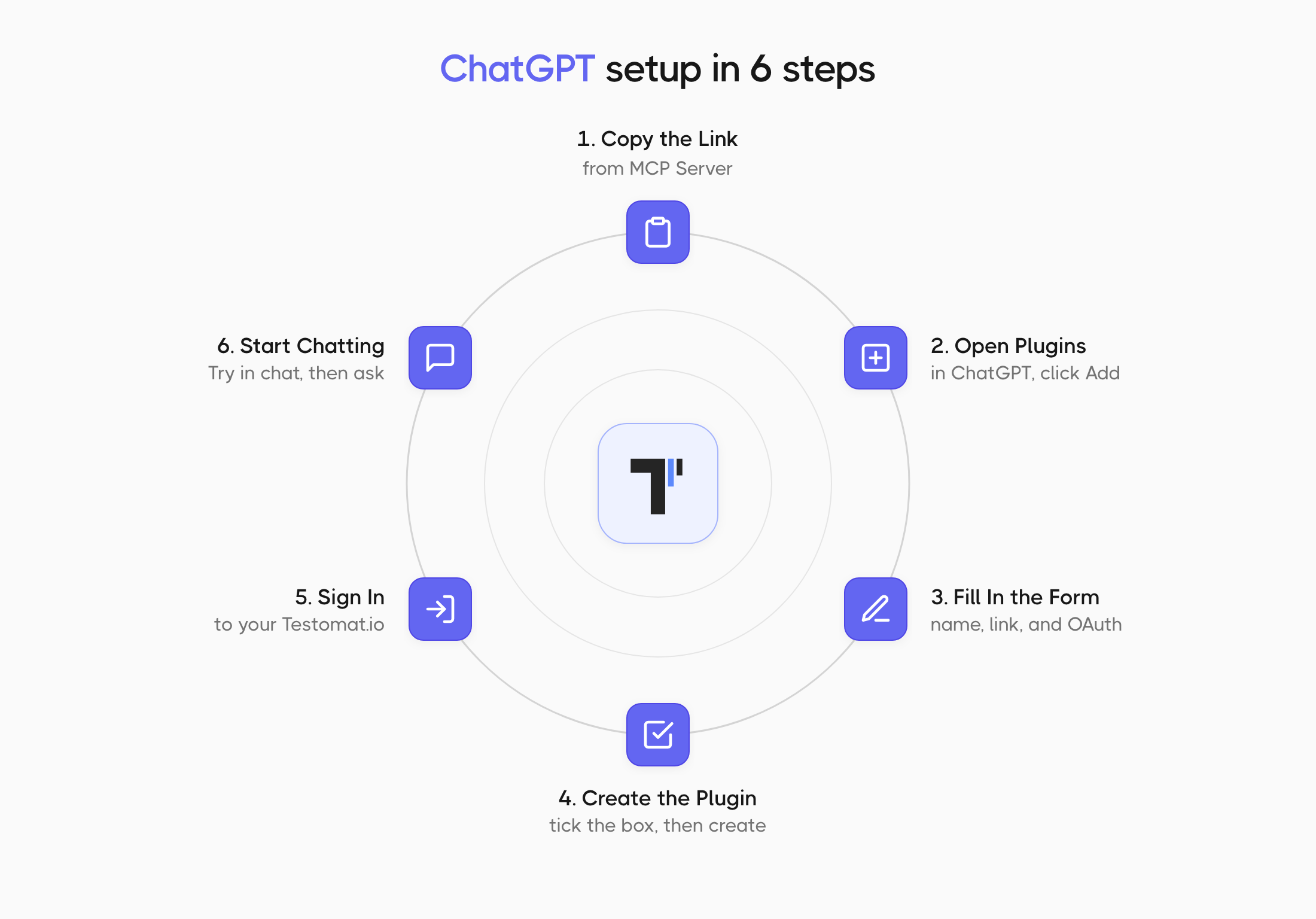
Copy the Connector URL
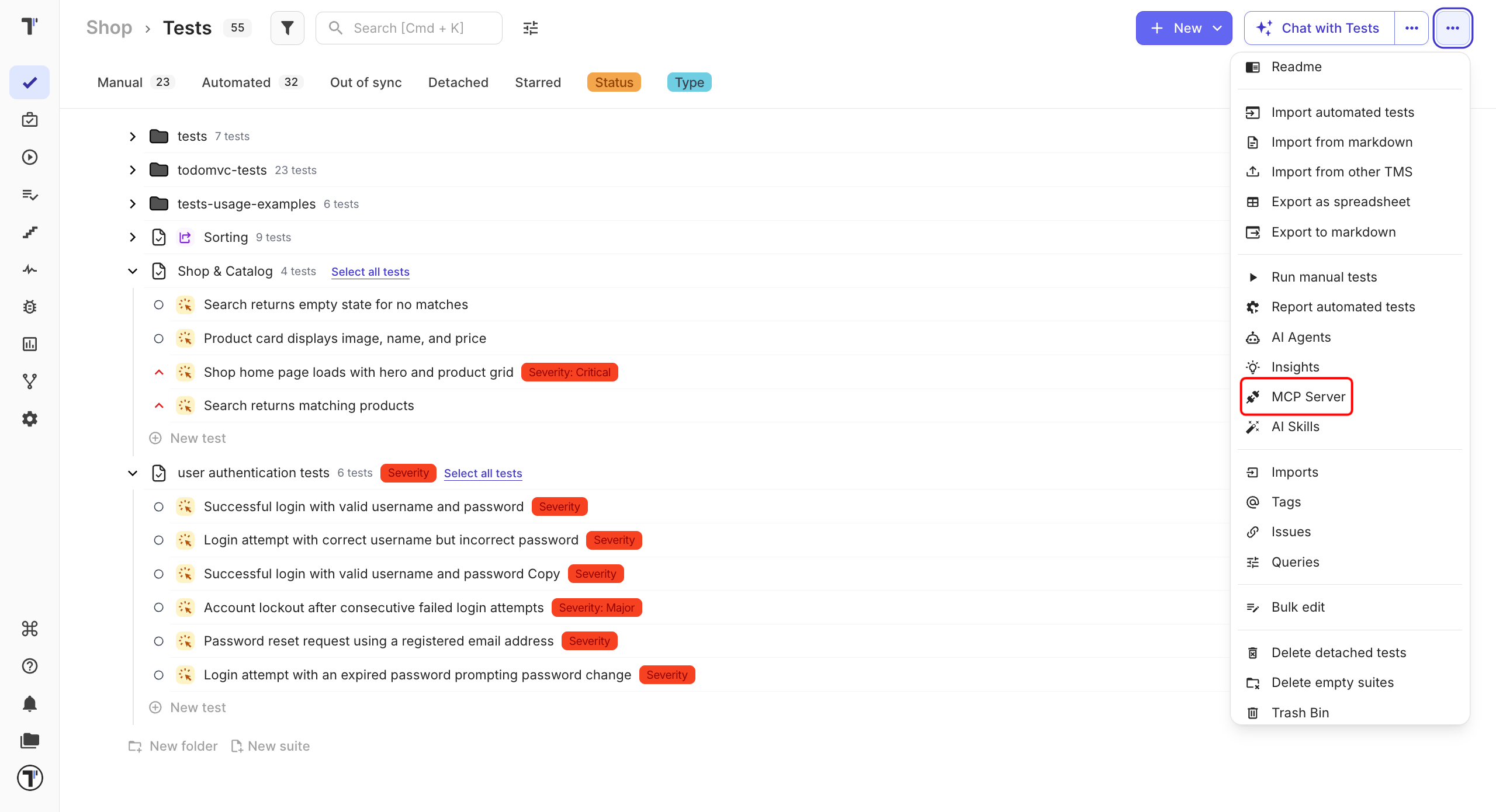
Section titled “Copy the Connector URL”- Open the Tests page in the project you want to connect.
- Click the (
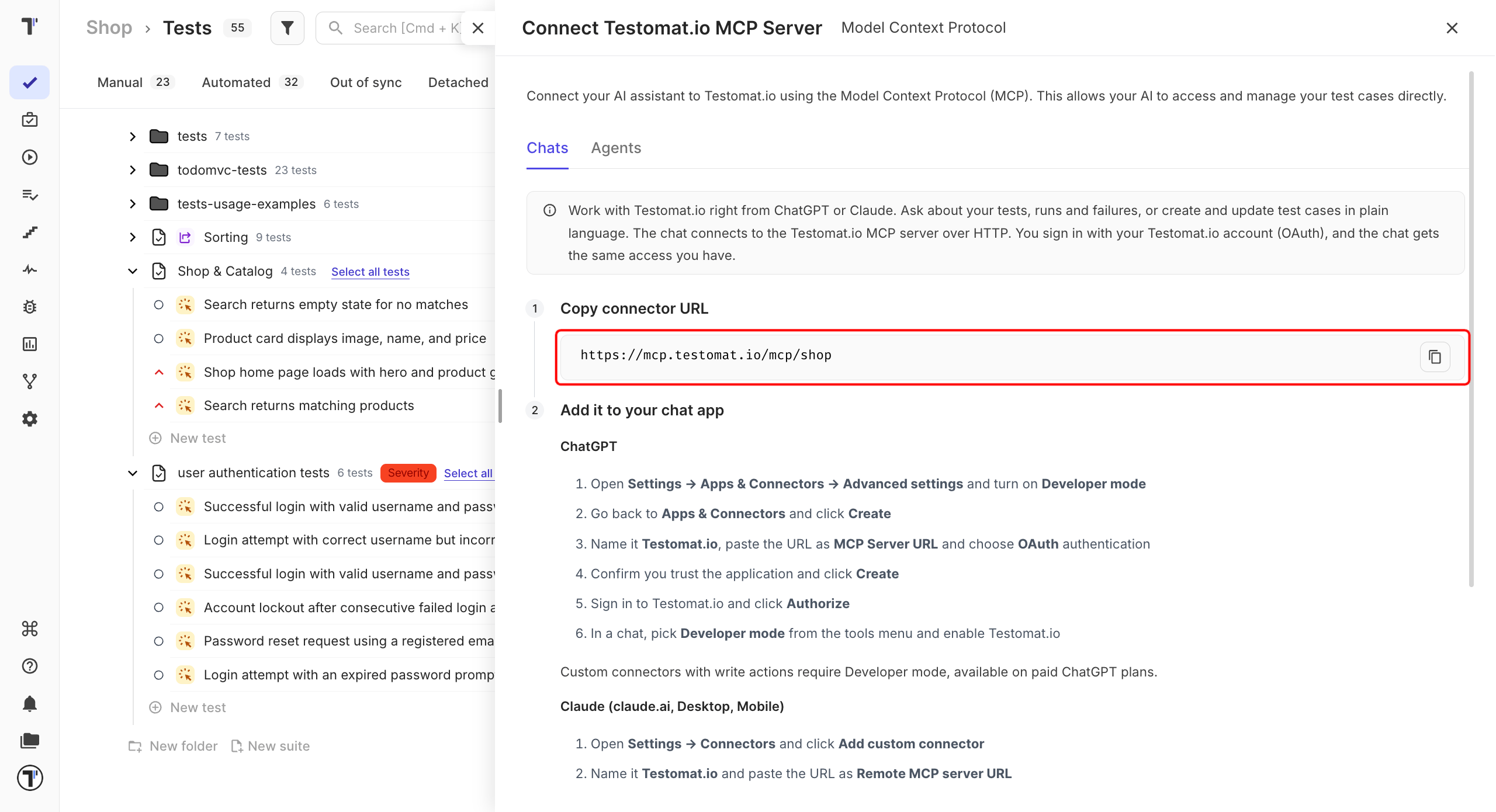
...) menu in the top-right corner and select MCP Server. - On the Chats tab, click the copy icon next to the connector URL.
The URL ends with your project name, so each project has its own. Copy it from the project you want ChatGPT to work with.
Add Testomat.io as a Plugin
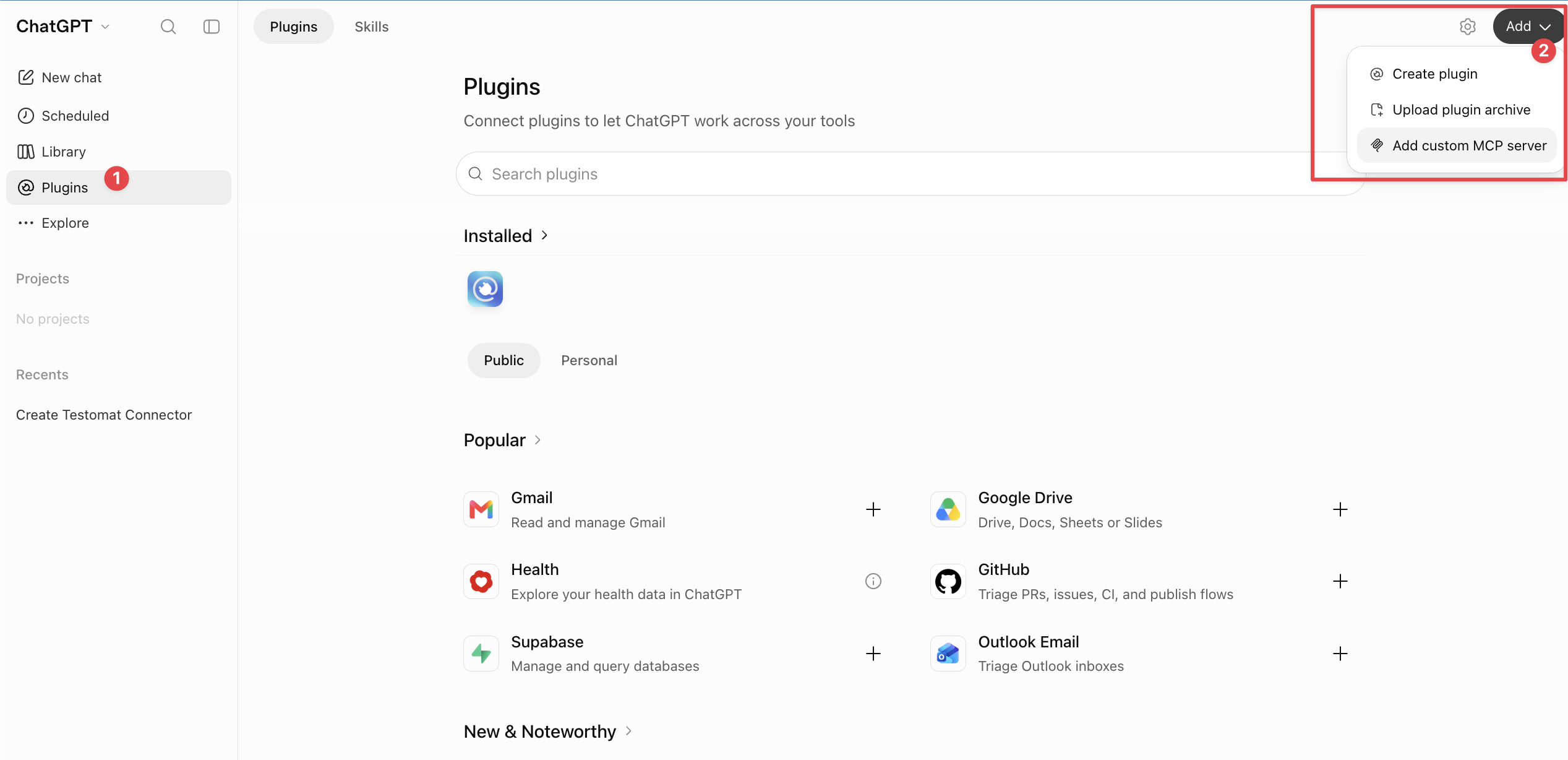
Section titled “Add Testomat.io as a Plugin”- In ChatGPT, click Plugins in the left sidebar.
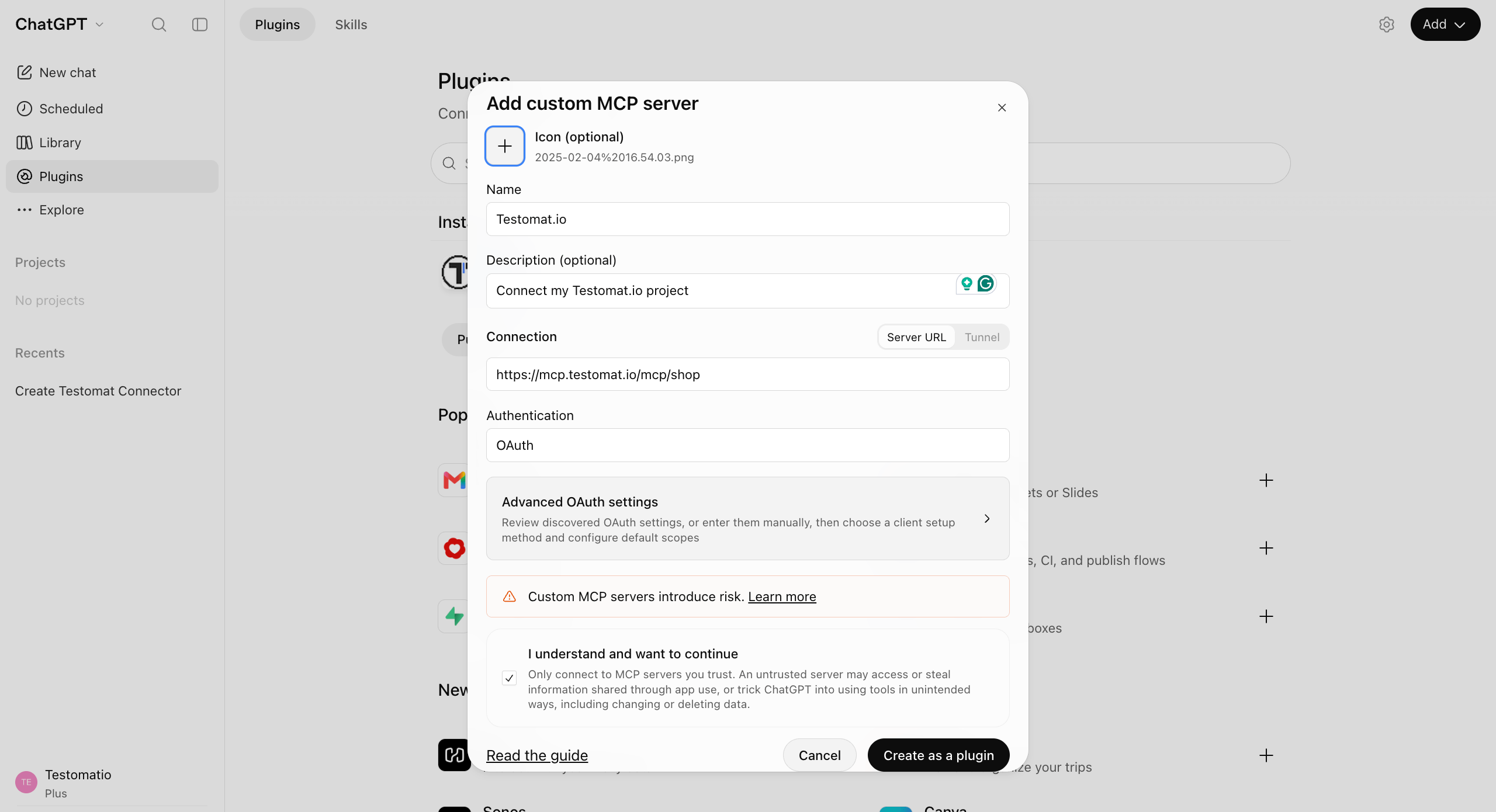
- Click Add in the top-right corner and select Add custom MCP server.
In a new pop-up, fill in the following:
- Enter
Testomat.ioin Name. - Under Connection, keep Server URL selected and paste the connector URL.
- Choose OAuth in Authentication.
- Select I understand and want to continue.
- Click Create as a plugin.
Sign In to Testomat.io
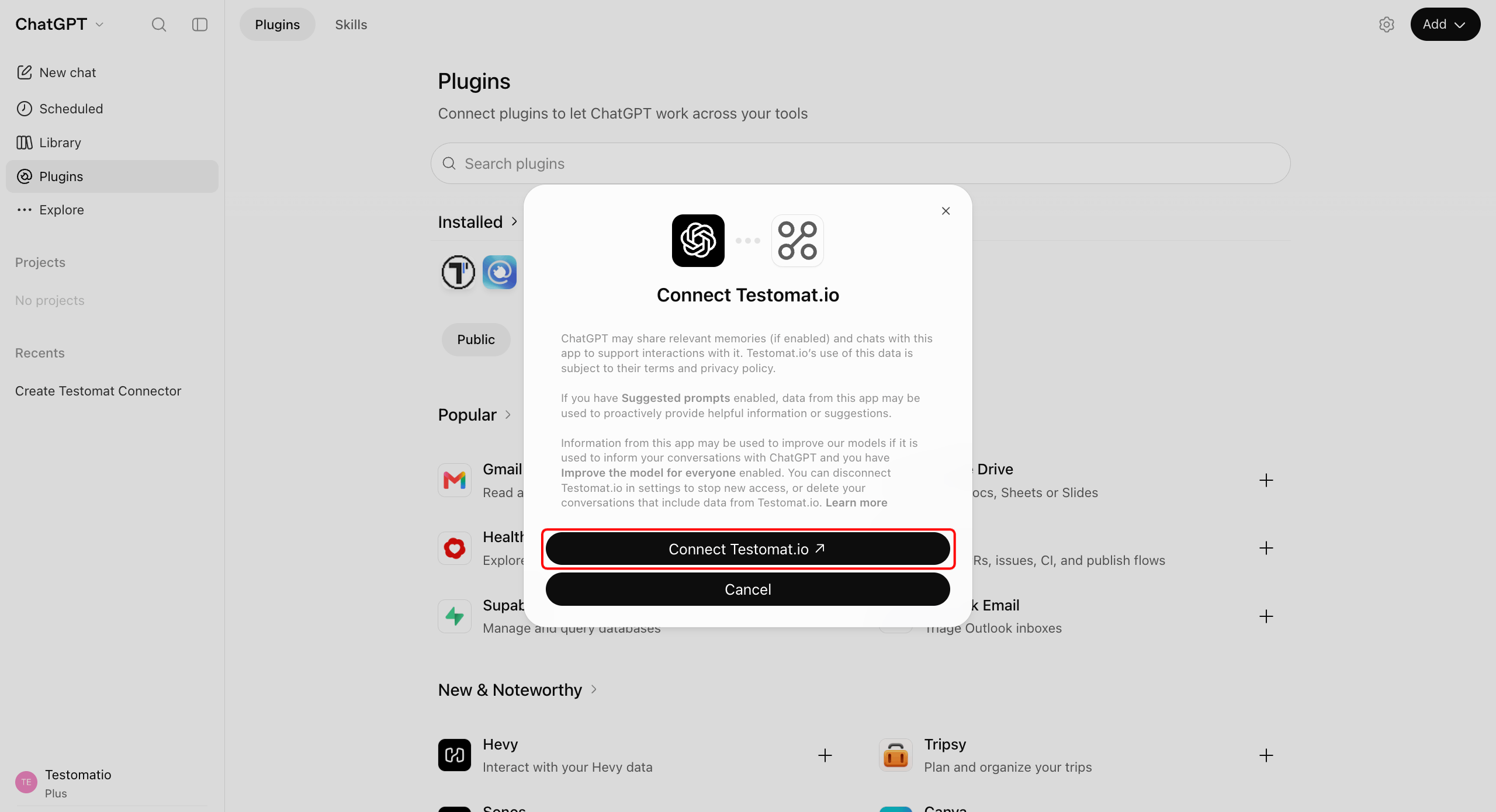
Section titled “Sign In to Testomat.io”- In the Connect Testomat.io window, click Connect Testomat.io.
- Sign in to Testomat.io and approve the access ChatGPT is asking for.
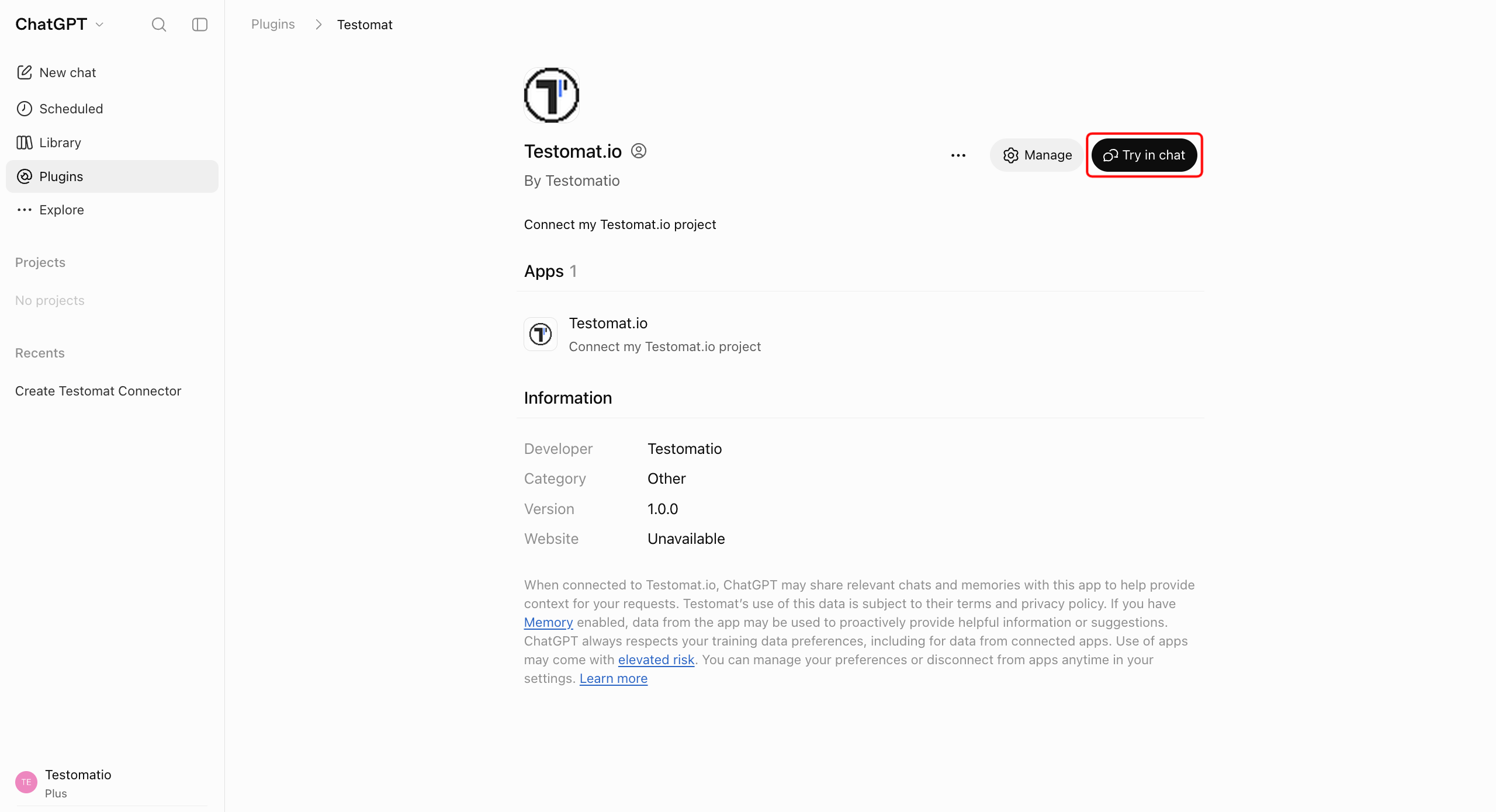
Testomat.io now shows under Installed on the Plugins page.
Use Testomat.io in a Chat
Section titled “Use Testomat.io in a Chat”To start using your connector in a new chat right away:
- Open the Testomat.io plugin page.
- Click Try in chat.
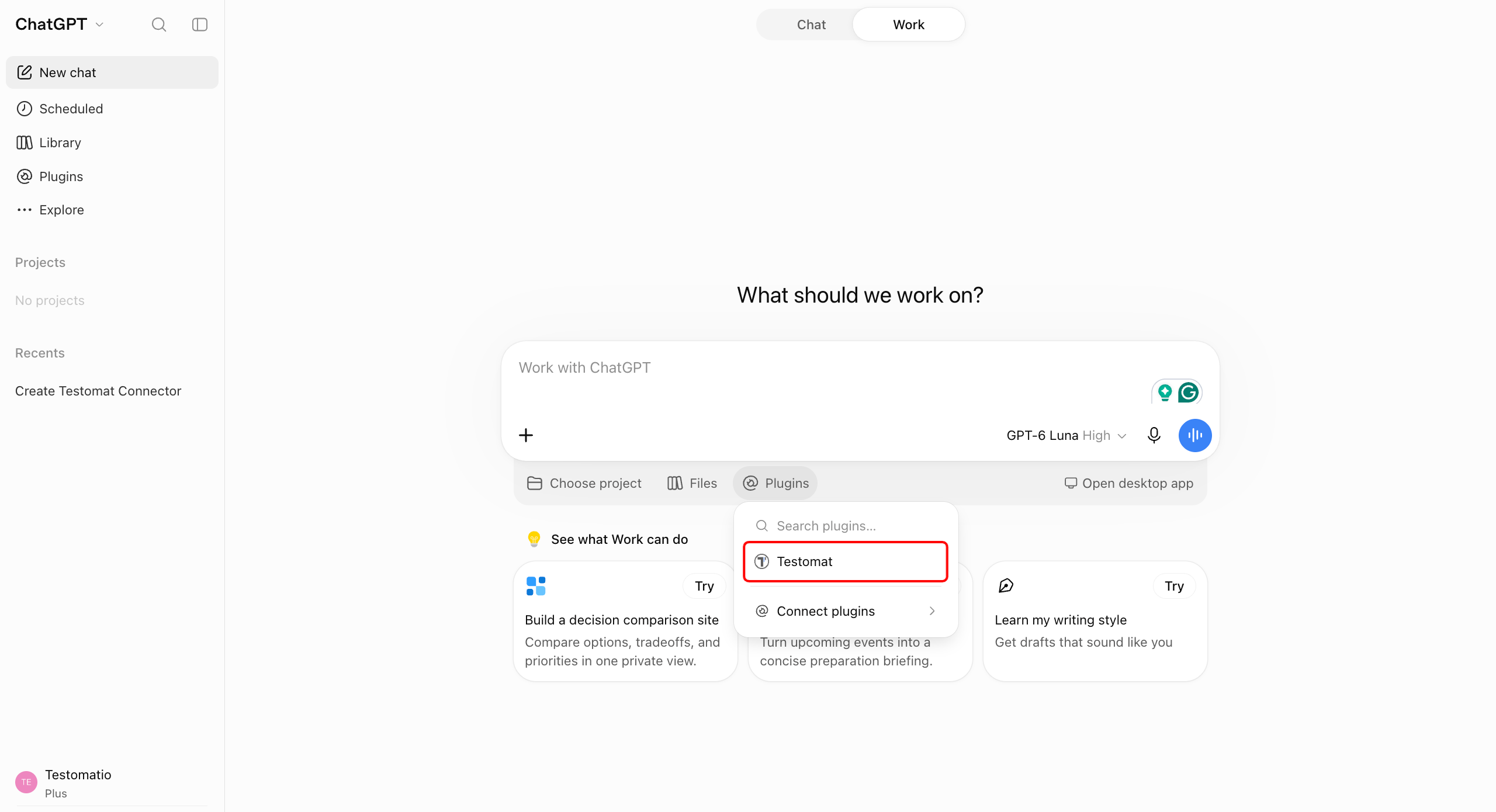
To use it in a new chat later, click Plugins below the message box and select Testomat. Ask something simple, like How many tests are in my project?, and you’ll get an answer straight from your project.
What You Can Ask
Section titled “What You Can Ask”ChatGPT works with your tests in plain language. A few examples to start with:
| You want to | Ask |
|---|---|
| See what failed | Show me the failed tests from the last run |
| Find gaps in coverage | Find all tests tagged @smoke that have no steps |
| Add a test | Create a test "User logs in with valid credentials" in the Authentication suite |
ChatGPT can read and change the same things you can, so anything it writes appears in your project right away.
If This Doesn’t Work
Section titled “If This Doesn’t Work”- There is no Add custom MCP server option. Ask your workspace admin to turn them on.
- Testomat is missing from the Plugins menu in a chat. Check that Testomat.io shows under Installed on the Plugins page. If it doesn’t, add it again.
- Sign-in finishes but no tests appear. Copy the URL again from the Chats tab. The URL is tied to one project, and a URL from another project will not work.